Plan the Trip.Skip the Chaos.
Coordinating a group trip means endless texts, forgotten RSVPs, and someone always owes someone. TripLink keeps everyone on the same page — dates, plans, and money.
✓ Start 3 trips free — upgrade anytime
Join 500+ organizers who stopped using spreadsheets and group chats
No AI required — these features work out of the box
From idea to itinerary in minutes
Three steps. No spreadsheets. No 47-message group chat.
Tell Us About Your Trip
"Bachelor party in Nashville for 8 people in June" — type it like you'd text a friend.
We Set Everything Up
TripLink creates your trip, sets up date polls, builds a checklist tailored to your trip type, and gives you a link to share with the group.
Your Group Jumps In
Everyone votes on dates, logs expenses, and adds to the itinerary. No more "did you see my text?"
30 Second Demo
Watch a trip come together — from first idea to shared itinerary, expenses split, and everyone on the same page.
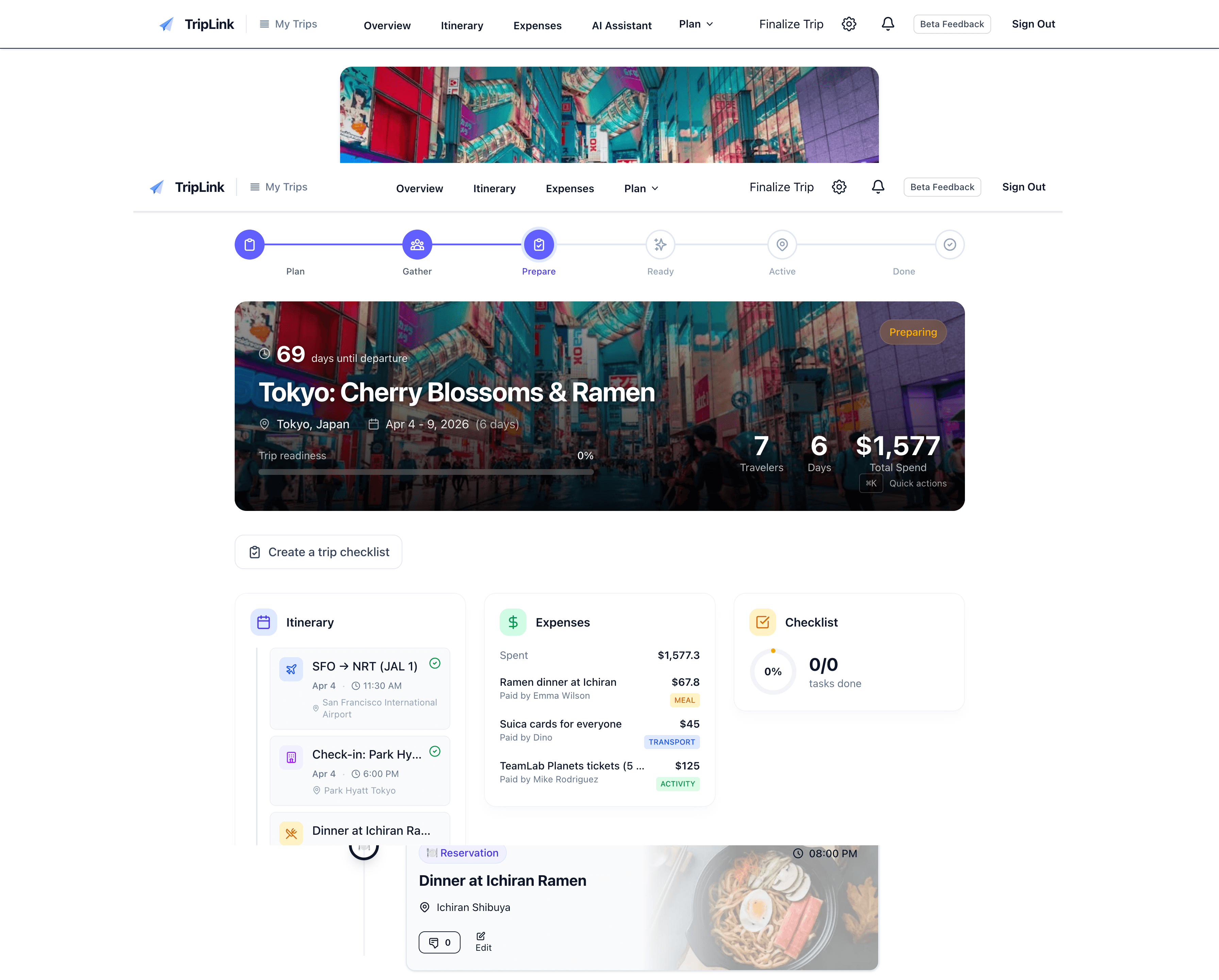
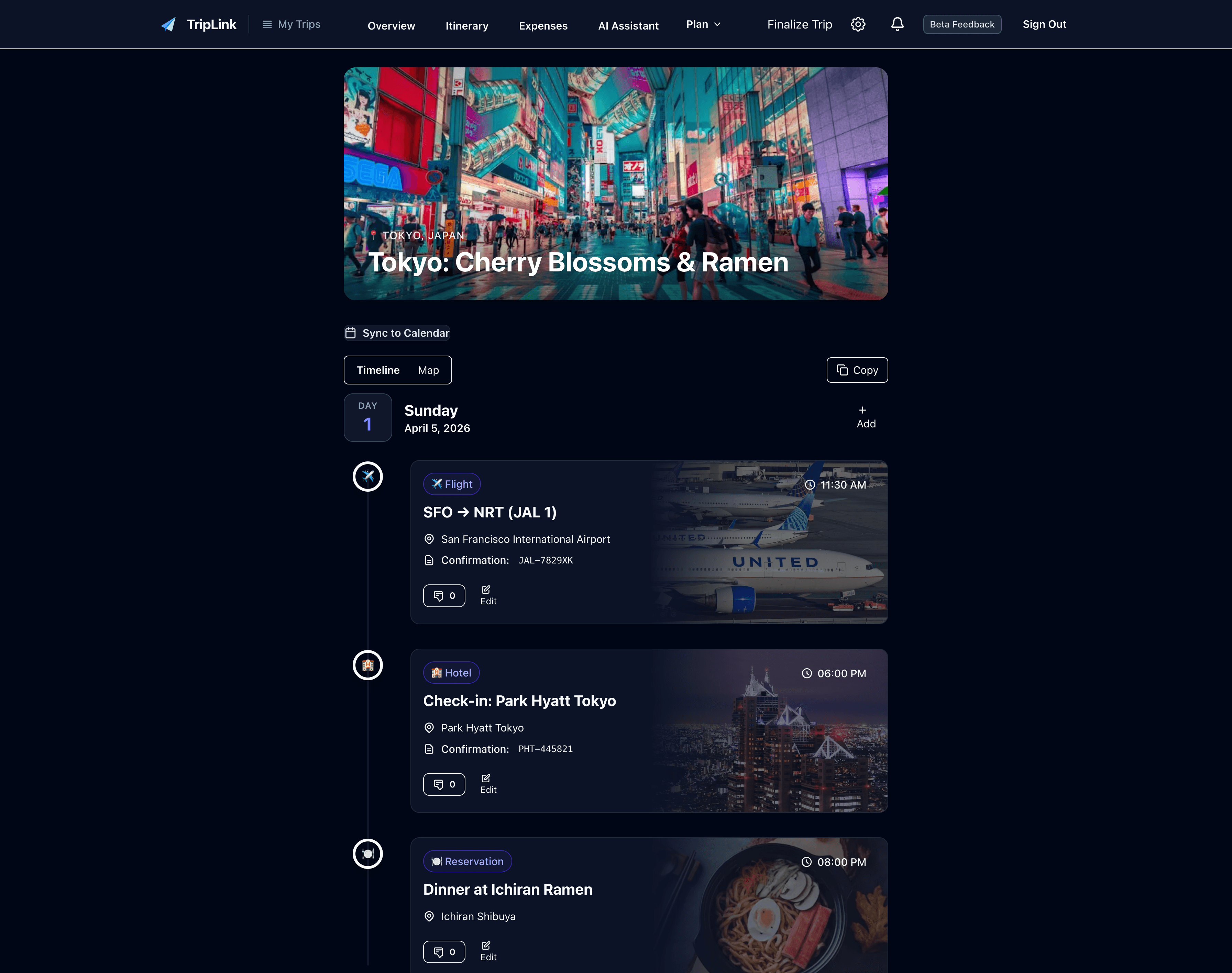
Toggle dark mode to see both themes
AI Trip Assistant
Tell TripLink what you need in plain English. It'll create polls, send invites, track expenses, and update your itinerary — like texting a friend who's really organized.
Quick Import
Already booked something? Paste the confirmation email and TripLink adds it to your itinerary automatically.
Group Sync
Polls, expense splitting, and RSVP tracking—all in one place.
Get updates where your group already talks
Connect your WhatsApp group or Slack workspace. Get trip updates, add expenses, and run commands — without leaving the chat.
- Send
@triplink expense $50 dinnerin WhatsApp — done - Get notified when someone adds to the itinerary
- Check trip status with
@triplink status - Works in WhatsApp groups and Slack channels
Don't Start From Scratch. Copy It.
Found a great trip itinerary? Copy it in one click and make it your own. Dates automatically adjust and the whole schedule shifts with them.
Everything included
Frequently Asked Questions
Is TripLink free?
Yes! The free tier works for most trips — up to 10 people and 3 active trips. Pro unlocks unlimited trips and advanced features like calendar sync and CSV export.
How is this different from Splitwise?
Splitwise is great for splitting bills, but trips need more than that. TripLink also handles date voting, itinerary building, checklists, and group coordination — so you're not juggling five different apps. See full comparison →
Can my friends use it without signing up?
They'll need a free account to vote on polls and add expenses — it takes 30 seconds with Google or email. This keeps everyone's contributions tracked properly.
What if I already have a trip planned?
No problem! Create a trip, paste in your booking confirmations, and TripLink organizes everything. It's also great for tracking expenses during the trip itself.
Do I need to book flights and hotels through TripLink?
No — book wherever you get the best deal. When you get a confirmation email, paste it into TripLink and it's added to your itinerary automatically. Your group sees everything in one place without changing how they book.
Is my data safe?
Yes. We sanitize personal info before AI processing, encrypt everything at rest and in transit, and never sell your data. You can delete your data anytime.
Your next trip is waiting.
Start planning in 60 seconds. No credit card required.
Start 3 trips free · No credit card required